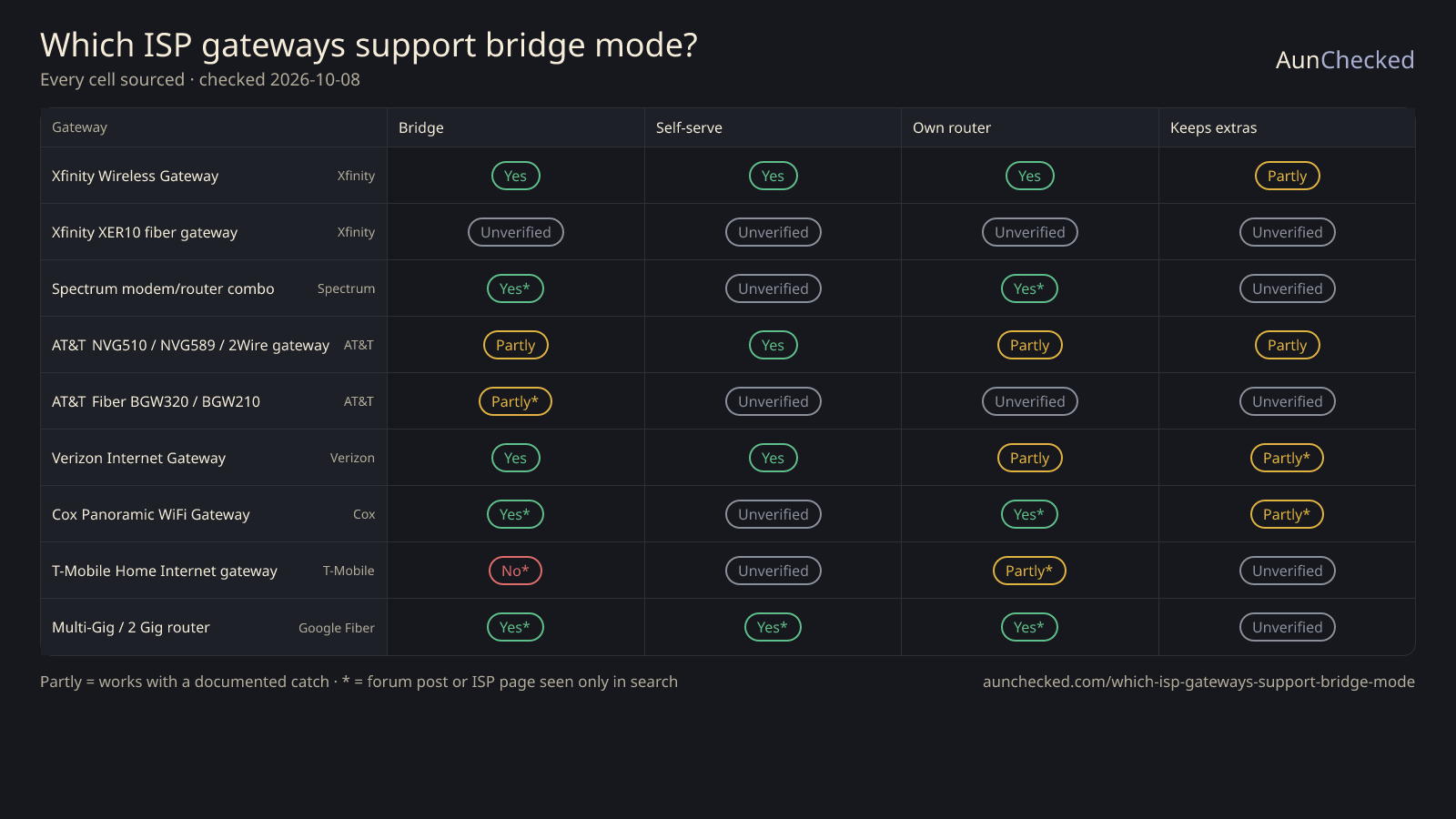
Short answer: Xfinity, Verizon and Google Fiber give you a way to put your own router in charge, and Spectrum staff say its network supports it. AT&T offers IP Passthrough for one device instead of true bridge mode. T-Mobile Home Internet gateways have no bridge mode, per community answers. Each ISP also takes something away — check the chart before you flip the switch.
Last checked · 9 gateways × 4 questions · 13 of 36 cells are still Unverified · we read ISP and maker support pages, we do not bench-test gateways
The answer comes straight from the chart below. Where a cell is “Unverified” the ISP's own page either says nothing or we could not read it — check with your ISP before you change settings.
ISP gateway bridge mode comparison chart
Rows are gateways, columns are the four questions that matter when you bring your own router. “Partly” means it works with a documented catch; “Unverified” means we found no source either way — we never guess. The dot under each cell shows how good the source is.
ISP page, read: 14 cells
ISP page, seen in search only: 10 cells
Forum / community post: 12 cells
Show:
ISP gateways (rows) × what a buyer with their own router needs to know (columns), each cell with its source
Gateway ↓ / Question →
Bridge or passthrough exists
You can switch it on yourself
Your router becomes the main router
ISP extras keep working
Xfinity Wireless GatewayXfinity · Cable
Yes
Xfinity: Bridge Mode turns off the gateway's routing and leaves the modem on. The article names no models; forum posts report the toggle on XB6, XB7 and XB8.
ISP page, read
Yes
Open the Admin Tool at 10.0.0.1, then Gateway > At a Glance > Bridge Mode > Enable. You may first need to allow Admin Tool access in the Xfinity app. Forum posts report the toggle missing or blank on some XB7/XB8 firmware.
ISP page, read
Yes
Connect your router to any Ethernet port. The gateway's private Wi-Fi turns off, and only one device can be connected to the gateway.
ISP page, read
Partly
You lose in-app network management and WiFi Extenders, CyberSecure isn't available, and Extenders already activated block bridge mode. The Xfinity WiFi Home Hotspot stays on.
ISP page, read
Xfinity XER10 fiber gatewayXfinity · Fiber
Unverified
Xfinity forum posts say the XER10 fiber gateway can't bridge. Xfinity's own bridge article doesn't list models, so this is unconfirmed.
Forum / community post
Unverified
No Xfinity source either way for this gateway.
Forum / community post
Unverified
No Xfinity source either way for this gateway.
Forum / community post
Unverified
No Xfinity source either way for this gateway.
Forum / community post
Spectrum modem/router comboSpectrum · Cable
Yes
A Spectrum Verified Employee Moderator said in 2022: "our network does support bridge mode" and it is advisable on a modem with built-in routing.
Forum / community post
Unverified
No Spectrum-written steps found. A later Spectrum reply said they can't walk through steps on third-party gear.
Forum / community post
Yes
The same moderator advised bridging the modem when adding a new router.
AT&T Business support: IP Passthrough (Motorola NVG510/589) or DMZplus (2Wire/Pace) instead of bridge mode. Page last updated Dec 7, 2022.
ISP page, read
Yes
Set it on the gateway at 192.168.1.254 (DMZplus: Settings > Firewall > Applications, Pinholes, and DMZ). The Manual mode needs a call to support.
ISP page, read
Partly
"Only one device can be put into passthrough mode." It receives the public WAN IP instead of a LAN IP.
ISP page, read
Partly
The passthrough device loses the gateway's firewall and can't file-share with devices still on the gateway.
ISP page, read
AT&T Fiber BGW320 / BGW210AT&T · Fiber
Partly
An AT&T PDF (2012), quoted in search results, says bridged mode isn't possible on AT&T's platform because gateways need its 802.1x authentication; IP Passthrough is the alternative.
ISP page, seen in search only
Unverified
AT&T's BGW320 FAQ page, which we read, says nothing about passthrough or bridge. Steps seen in search results weren't confirmed on a page we read.
Verizon's "Configure IP Passthrough / Bridge Mode" page covers the "Verizon Internet Gateway". It names no models, so G1100, G3100 and CR1000A support is not separately confirmed.
ISP page, read
Yes
Advanced > Network Settings > Network Connections > your network > Settings > tick IP Passthrough under Bridge > Save Changes. It reboots in 1–2 minutes.
ISP page, read
Partly
The network's IP goes to the one device on the LAN2 port on the bottom. Wi-Fi radios switch off, and Wi-Fi and LAN1 give no internet.
ISP page, read
Partly
A Verizon Community article, as quoted in search, says Fios TV set-top boxes need the Verizon router as the primary router, and Verizon doesn't support third-party routers.
ISP page, seen in search only
Cox Panoramic WiFi GatewayCox · Cable
Yes
Cox's article "Enabling Bridge Mode on the Panoramic Wifi Gateway" says bridge mode turns off the gateway's router and leaves the internet on. We saw it only quoted in search results.
ISP page, seen in search only
Unverified
The article's steps weren't readable by us (the page blocks automated readers).
ISP page, seen in search only
Yes
With the gateway's router off, your own router takes over.
ISP page, seen in search only
Partly
No Panoramic Wifi or Pods in bridge mode; not compatible with MoCA services (IPTV, Cox Homelife) or fiber-delivered services.
ISP page, seen in search only
T-Mobile Home Internet gatewayT-Mobile · 5G
No
T-Mobile Community answers say home-plan gateways have no bridge mode; small-business gateways differ. T-Mobile's own gateway page refused our request.
Forum / community post
Unverified
Not applicable if there is no bridge mode; no T-Mobile source.
Forum / community post
Partly
You can connect your own router or mesh to the gateway's Ethernet, but the gateway stays in place, so you get two NATs.
Forum / community post
Unverified
No T-Mobile source on what else changes.
Forum / community post
Google Fiber Multi-Gig / 2 Gig routerGoogle Fiber · Fiber
Yes
Google's "About bridge mode" says you can use your own router with 2 Gig by using bridge mode. We saw the page only quoted in search results.
ISP page, seen in search only
Yes
In your Google Fiber account: Network > Advanced > Admin > bridge mode on > Apply. The app has a Bridge Mode toggle under Router.
ISP page, seen in search only
Yes
Plug your router into the 10 Gig Ethernet port on the back of the Multi-Gig Router, then set up Wi-Fi on your router.
ISP page, seen in search only
Unverified
No Google source on what else changes in bridge mode.
ISP page, seen in search only
Xfinity Wireless Gateway
Xfinity · Cable · Official bridge mode; costs you the app's network tools and Extenders
Bridge or passthrough exists
Yes
Xfinity: Bridge Mode turns off the gateway's routing and leaves the modem on. The article names no models; forum posts report the toggle on XB6, XB7 and XB8.
ISP page, read
You can switch it on yourself
Yes
Open the Admin Tool at 10.0.0.1, then Gateway > At a Glance > Bridge Mode > Enable. You may first need to allow Admin Tool access in the Xfinity app. Forum posts report the toggle missing or blank on some XB7/XB8 firmware.
ISP page, read
Your router becomes the main router
Yes
Connect your router to any Ethernet port. The gateway's private Wi-Fi turns off, and only one device can be connected to the gateway.
ISP page, read
ISP extras keep working
Partly
You lose in-app network management and WiFi Extenders, CyberSecure isn't available, and Extenders already activated block bridge mode. The Xfinity WiFi Home Hotspot stays on.
ISP page, read
Xfinity XER10 fiber gateway
Xfinity · Fiber · Forum posts say it can't bridge; Xfinity's page doesn't say
Bridge or passthrough exists
Unverified
Xfinity forum posts say the XER10 fiber gateway can't bridge. Xfinity's own bridge article doesn't list models, so this is unconfirmed.
Forum / community post
You can switch it on yourself
Unverified
No Xfinity source either way for this gateway.
Forum / community post
Your router becomes the main router
Unverified
No Xfinity source either way for this gateway.
Forum / community post
ISP extras keep working
Unverified
No Xfinity source either way for this gateway.
Forum / community post
Spectrum modem/router combo
Spectrum · Cable · Supported per a Spectrum staff reply; no Spectrum-written steps found
Bridge or passthrough exists
Yes
A Spectrum Verified Employee Moderator said in 2022: "our network does support bridge mode" and it is advisable on a modem with built-in routing.
Forum / community post
You can switch it on yourself
Unverified
No Spectrum-written steps found. A later Spectrum reply said they can't walk through steps on third-party gear.
Forum / community post
Your router becomes the main router
Yes
The same moderator advised bridging the modem when adding a new router.
Forum / community post
ISP extras keep working
Unverified
No Spectrum source on what else stops working.
Forum / community post
AT&T NVG510 / NVG589 / 2Wire gateway
AT&T · U-verse / DSL · No true bridge — IP Passthrough hands the public IP to one device
Bridge or passthrough exists
Partly
AT&T Business support: IP Passthrough (Motorola NVG510/589) or DMZplus (2Wire/Pace) instead of bridge mode. Page last updated Dec 7, 2022.
ISP page, read
You can switch it on yourself
Yes
Set it on the gateway at 192.168.1.254 (DMZplus: Settings > Firewall > Applications, Pinholes, and DMZ). The Manual mode needs a call to support.
ISP page, read
Your router becomes the main router
Partly
"Only one device can be put into passthrough mode." It receives the public WAN IP instead of a LAN IP.
ISP page, read
ISP extras keep working
Partly
The passthrough device loses the gateway's firewall and can't file-share with devices still on the gateway.
ISP page, read
AT&T Fiber BGW320 / BGW210
AT&T · Fiber · Same IP Passthrough route; BGW steps still unconfirmed
Bridge or passthrough exists
Partly
An AT&T PDF (2012), quoted in search results, says bridged mode isn't possible on AT&T's platform because gateways need its 802.1x authentication; IP Passthrough is the alternative.
ISP page, seen in search only
You can switch it on yourself
Unverified
AT&T's BGW320 FAQ page, which we read, says nothing about passthrough or bridge. Steps seen in search results weren't confirmed on a page we read.
ISP page, read
Your router becomes the main router
Unverified
No AT&T page we read covers the BGW320 for this.
ISP page, read
ISP extras keep working
Unverified
No AT&T page we read covers the BGW320 for this.
ISP page, read
Verizon Internet Gateway (Fios G1100 / G3100 / CR1000A)
Verizon · Fiber · Official IP Passthrough on LAN2; the page lists no models
Bridge or passthrough exists
Yes
Verizon's "Configure IP Passthrough / Bridge Mode" page covers the "Verizon Internet Gateway". It names no models, so G1100, G3100 and CR1000A support is not separately confirmed.
ISP page, read
You can switch it on yourself
Yes
Advanced > Network Settings > Network Connections > your network > Settings > tick IP Passthrough under Bridge > Save Changes. It reboots in 1–2 minutes.
ISP page, read
Your router becomes the main router
Partly
The network's IP goes to the one device on the LAN2 port on the bottom. Wi-Fi radios switch off, and Wi-Fi and LAN1 give no internet.
ISP page, read
ISP extras keep working
Partly
A Verizon Community article, as quoted in search, says Fios TV set-top boxes need the Verizon router as the primary router, and Verizon doesn't support third-party routers.
ISP page, seen in search only
Cox Panoramic WiFi Gateway
Cox · Cable · Bridge works, but not with Pods, MoCA TV/Homelife or fiber
Bridge or passthrough exists
Yes
Cox's article "Enabling Bridge Mode on the Panoramic Wifi Gateway" says bridge mode turns off the gateway's router and leaves the internet on. We saw it only quoted in search results.
ISP page, seen in search only
You can switch it on yourself
Unverified
The article's steps weren't readable by us (the page blocks automated readers).
ISP page, seen in search only
Your router becomes the main router
Yes
With the gateway's router off, your own router takes over.
ISP page, seen in search only
ISP extras keep working
Partly
No Panoramic Wifi or Pods in bridge mode; not compatible with MoCA services (IPTV, Cox Homelife) or fiber-delivered services.
ISP page, seen in search only
T-Mobile Home Internet gateway
T-Mobile · 5G · No bridge mode on home plans, per community answers
Bridge or passthrough exists
No
T-Mobile Community answers say home-plan gateways have no bridge mode; small-business gateways differ. T-Mobile's own gateway page refused our request.
Forum / community post
You can switch it on yourself
Unverified
Not applicable if there is no bridge mode; no T-Mobile source.
Forum / community post
Your router becomes the main router
Partly
You can connect your own router or mesh to the gateway's Ethernet, but the gateway stays in place, so you get two NATs.
Forum / community post
ISP extras keep working
Unverified
No T-Mobile source on what else changes.
Forum / community post
Google Fiber Multi-Gig / 2 Gig router
Google Fiber · Fiber · Bridge toggle in your account or the app
Bridge or passthrough exists
Yes
Google's "About bridge mode" says you can use your own router with 2 Gig by using bridge mode. We saw the page only quoted in search results.
ISP page, seen in search only
You can switch it on yourself
Yes
In your Google Fiber account: Network > Advanced > Admin > bridge mode on > Apply. The app has a Bridge Mode toggle under Router.
ISP page, seen in search only
Your router becomes the main router
Yes
Plug your router into the 10 Gig Ethernet port on the back of the Multi-Gig Router, then set up Wi-Fi on your router.
ISP page, seen in search only
ISP extras keep working
Unverified
No Google source on what else changes in bridge mode.
ISP page, seen in search only
What to do, by situation
Xfinity customer adding your own mesh: Enable Bridge Mode in the Admin Tool at 10.0.0.1. Check first that you don't use WiFi Extenders or CyberSecure — Xfinity says Extenders already activated block bridge mode, and CyberSecure isn't available in it. See the chart row ↓
AT&T customer: Use IP Passthrough (DMZplus on 2Wire/Pace gateways). AT&T's page says only one device can be in passthrough mode and it loses the gateway firewall. If you need more than that, turn the gateway's Wi-Fi off and run your router as an access point, as Netgear describes. See the chart row ↓
Verizon customer without Fios TV: Turn on IP Passthrough and plug your router into LAN2. Verizon's page says Wi-Fi radios turn off and LAN1 stops giving internet. See the chart row ↓
Verizon customer with Fios TV: Keep the Verizon router as primary — a Verizon Community article quoted in search says the set-top boxes need it. Add your mesh behind it with Wi-Fi off on the Verizon box. See the chart row ↓
Cox customer with Pods, Homelife or cable TV over MoCA: Bridge mode is not compatible with Pods, MoCA services or fiber-delivered services, per Cox's article as quoted in search. Check which of those you use before you switch. See the chart row ↓
T-Mobile Home Internet customer: Community answers say there is no bridge mode on home gateways. Plug your router into the gateway and accept two NATs, or ask T-Mobile about a business gateway. See the chart row ↓
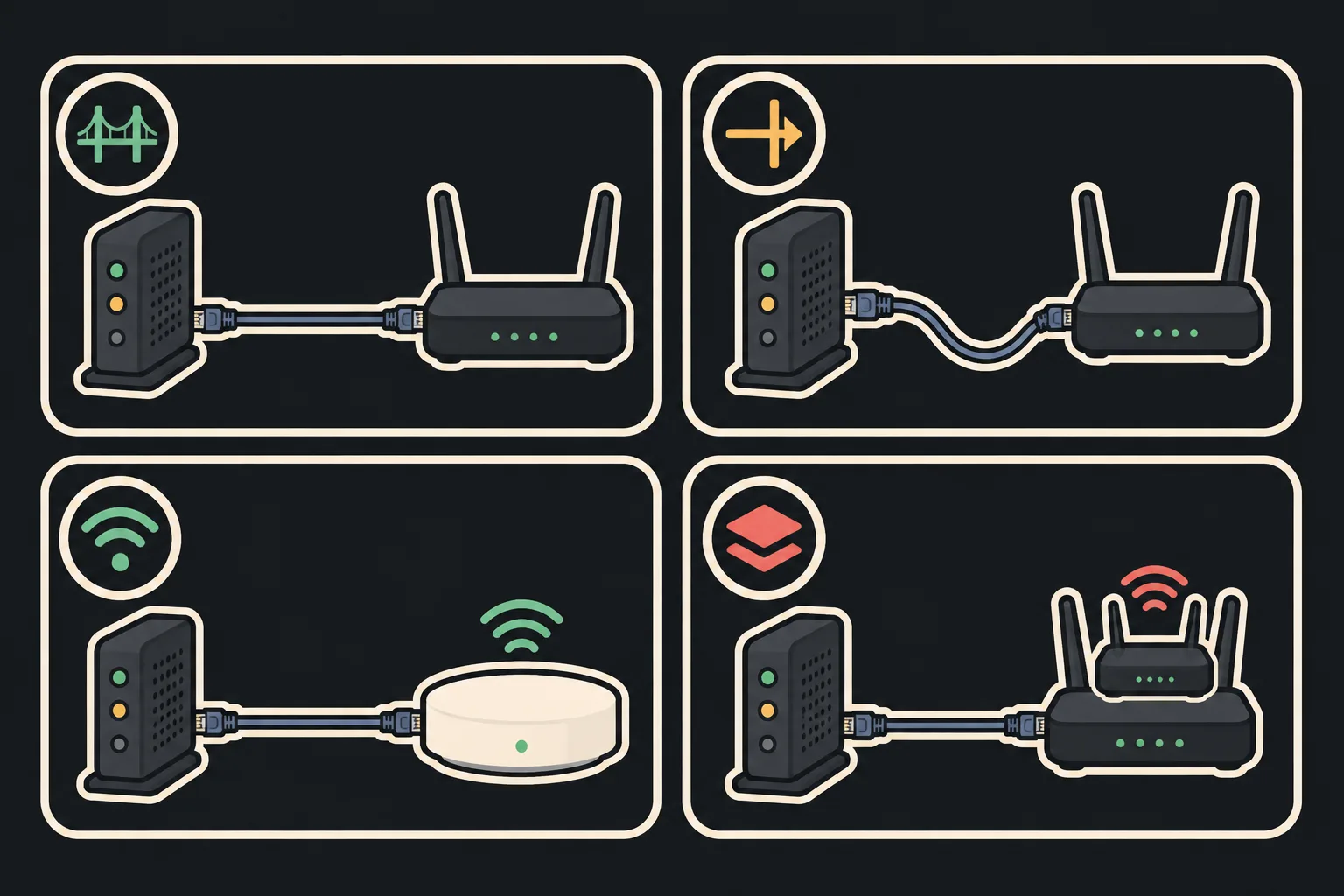
Bridge mode, IP Passthrough, AP mode and double NAT
Bridge mode turns the gateway's routing off and leaves it as a modem; your router does the routing. Xfinity and eero define it this way.
IP Passthrough keeps the gateway running but hands its public IP to one device. AT&T says only one device can use it and it loses the gateway firewall; Verizon uses the same name for its bridge option.
Access point (AP) mode is the fallback when the gateway can't bridge: NETGEAR says to turn the gateway's Wi-Fi off and run your Orbi or Nighthawk as an access point, which disables some router features.
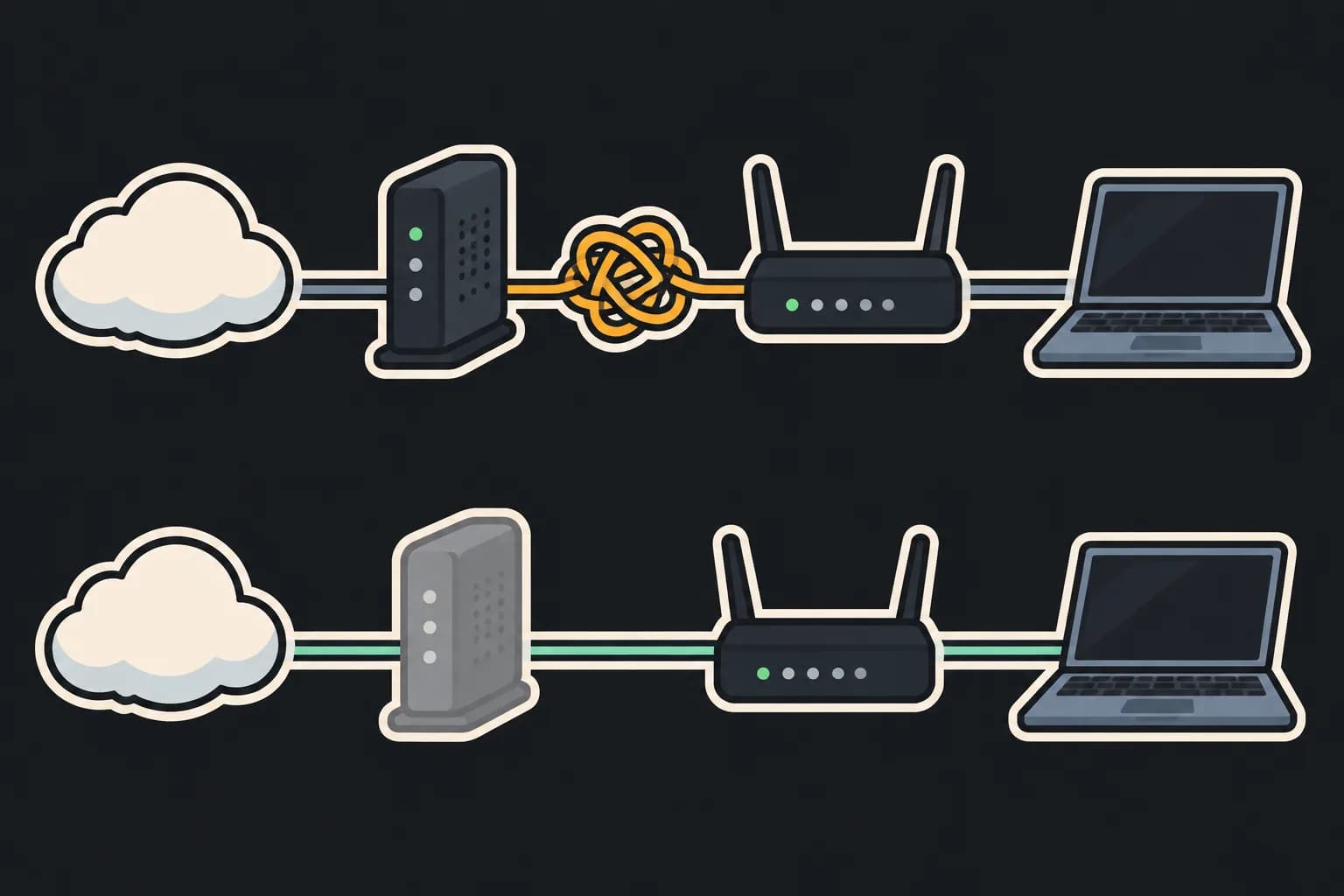
Double NAT is two routers each translating addresses. NETGEAR says it can cause network problems behind an ISP gateway and recommends bridging the gateway for the best performance.
Before you switch
Plan your Wi-Fi first. On Xfinity and Verizon the gateway's own Wi-Fi turns off in bridge mode.
List what the ISP supplies besides internet: TV boxes, home phone, Wi-Fi pods, a security app. Cox and Verizon sources name TV as a problem.
Know how you undo it. Xfinity says turning bridge mode off needs a device on an Ethernet cable.
Expect lost features on the router side too: eero says its own bridge mode drops profiles, usage history and several advanced settings.
Don't trust one forum post. Where a cell shows a yellow or grey dot, confirm with your ISP.
Bridge mode FAQ
What does bridge mode do on an ISP gateway?
It turns off the gateway's routing and leaves it working only as a modem, so your own router does the routing. Xfinity describes it as turning off routing while leaving the modem capabilities on, and eero defines it as disabling a device's routing and Wi-Fi so it works only as a modem or access point.
Does bridge mode turn off the gateway's Wi-Fi?
Yes on the gateways we could read. Xfinity's warning says it will turn off the private WiFi network, and Verizon says all Wi-Fi radios switch off while IP Passthrough is on. Plan for your own router or access points to cover the whole home before you flip the switch.
Why can't I find or turn on Xfinity bridge mode?
Xfinity's article gives two reasons: you may need to allow Admin Tool access in the Xfinity app, and you can't enable Bridge Mode if WiFi Extenders are already activated. Forum posts also report the toggle blank or missing on some XB7 and XB8 firmware, with a 30–60 second reset reported as a fix; Xfinity's article doesn't mention that, so treat it as a user report.
What is the difference between bridge mode and IP Passthrough?
Bridge mode turns the gateway's router off. IP Passthrough keeps the gateway running but hands the public IP address to one device. AT&T's page says only one device can be in passthrough mode, that the device loses the gateway's firewall, and that it receives a WAN IP instead of a LAN IP.
Can I put an AT&T gateway in bridge mode?
AT&T's materials point to IP Passthrough instead. An AT&T PDF from 2012, quoted in search results, says bridged mode isn't possible on its platform because gateways need AT&T's 802.1x authentication. We could not confirm the BGW320 steps on a page we read, so that row stays unverified.
What is double NAT and do I need to fix it?
Double NAT happens when two routers each translate addresses, for example your Orbi or Nighthawk behind an ISP gateway. NETGEAR says it can cause network problems and recommends bridge mode on the gateway for the best performance. eero notes double NAT is often the default when you add an eero to a gateway, and that bridging the combo restores eero's features.
What if my gateway has no bridge mode?
NETGEAR says to turn the gateway's Wi-Fi off and put your Orbi or Nighthawk in access point (AP) mode, which disables some router features. eero says to turn off Wi-Fi on the ISP equipment and put the eeros in bridge mode, which means losing eero features such as profiles and several advanced settings.
Can I use my own router with T-Mobile Home Internet?
Yes, behind the gateway. T-Mobile Community answers say home gateways have no bridge mode, so the T-Mobile box stays in place as modem and router. T-Mobile's own gateway page blocked our request, so this comes from community answers, not a T-Mobile support article.
Will bridge mode break my ISP's TV or home-phone service?
It can. Cox says bridge mode isn't compatible with MoCA services such as IPTV or Homelife, and a Verizon Community article quoted in search says Fios TV set-top boxes need the Verizon router as primary. Xfinity's bridge article says nothing about TV, so we don't claim either way.
Changelog
— Published: 9 gateways × 4 questions, a finder for your own setup, and a source level on every cell.